 Buddy VJ CUE BOT
Control Resolume Arena directly with timecode.用 Timecode 直接控制 Resolume Arena。
Frame-accurate, with room for thousands of cues in a single song. Plug in LTC and it runs, or set every cue yourself. 精準到每一幀,一首歌放上千個 Cue 也沒問題。接上 LTC 就能跑,也能自己當 Programmer 下 Cue。
Windows and macOS. Requires Resolume Arena 7.8 or later on the same computer.支援 Windows 與 macOS。需要同一台電腦上的 Resolume Arena 7.8 以上版本。
Illustration of how cues fire. Not a recording of the app.Cue 觸發方式的示意動畫,不是軟體實際錄影。
Plug in and run接上就能跑
Feed LTC into your sound card. When the timecode arrives, the whole Arena column fires by itself.LTC 接進聲卡,時間一到,Arena 整個 Column 自動觸發。
Frame-accurate精準到每一幀
Cues fire on the exact frame. Set a tolerance of up to 10 frames only if your signal needs it.預設只在準確的那一幀觸發,訊號需要時才設 0–10 幀容差。
Thousands of cues上千個 Cue
One song can hold more than a thousand cues. Program as tight as the music asks for.一首歌放上千個 Cue 也沒問題,音樂要多細就下多細。
Be your own programmer自己當 Programmer
No timecode programmer needed. Set the cues yourself against the real song.不用另外找 Timecode Programmer,對著歌曲自己下 Cue。
What Arena's SMPTE doesn't doArena 內建 SMPTE 做不到的事
Arena's SMPTE moves the playhead of a clip you already started. Buddy starts the clips.Arena 的 SMPTE 帶動的是你已經觸發的 Clip。Buddy 負責的是觸發本身。
| Feature | Arena built-in SMPTEArena 內建 SMPTE | Buddy - VJ CUE BOT |
|---|---|---|
| What timecode does時間碼的作用 | Moves the playhead of a clip that is already active帶動已經在播的 Clip 的播放位置 | Fires whole columns at the set time時間一到,自動觸發整個 Column |
| Starting a clip誰來觸發 Clip | You, by hand. SMPTE does not send the clip trigger你自己手動,SMPTE 不會送出觸發 | Automatic, on every cue每個 Cue 都自動 |
| Cues in one song一首歌的 Cue 數 | No timecode cue list沒有時間碼 Cue 表 | Thousands, no problem上千個也沒問題 |
| Setting a cue怎麼設定 | Assign an input and enter an offset on each clip每個 Clip 分別指定 SMPTE 輸入和 Offset | Name the clip with its timecode把 Clip 命名成時間碼 |
| Capturing times from the song對著歌曲取點 | No built-in tool沒有內建工具 | Built-in Programmer: play, pause, paste內建 Programmer:播放、暫停、貼入 |
| Clips with an audio track有音軌的 Clip | SMPTE not available不能使用 SMPTE | Fire with the column as usual照樣隨 Column 觸發 |
| Timecode source時間碼來源 | SMPTE on an audio input, up to 2 at once音訊輸入的 SMPTE,最多 2 路 | LTC on a sound card, or the WAV in Programmer聲卡輸入的 LTC,或 Programmer 播放的 WAV |
| Delay compensation延遲補償 | Yes有 | −30 to +30 frames, adjustable during the show−30~+30 幀,演出中可即時調 |
| Video locked frame by frame影片逐幀鎖時間碼 | Yes, this is what it is built for有,這正是它的用途 | No. Clips play normally once fired沒有,觸發後 Clip 照常播放 |
| Cost費用 | Included with ArenaArena 內建 | 8 cues free, paid plans for more8 個 Cue 免費,更多 Cue 需付費 |
Arena column based on Resolume's SMPTE support page, checked November 2026.Arena 欄位依據 Resolume 官方 SMPTE 說明,查閱於 2026 年 11 月。
Be your own programmer自己當 Programmer
You don't need a timecode programmer or a spreadsheet of times. Your cue list is the clip names in Arena.不用找 Timecode Programmer,也不用另外抄時間表。Cue 表就是 Arena 裡的 Clip 名稱。
-
Load the song匯入歌曲
Drop in a WAV with LTC on one channel. Programmer finds it and plays the music from the other.拖入一個聲道帶 LTC 的 WAV,Programmer 會自動找出時間碼聲道,音樂從另一邊播放。
-
Pause on the moment播到位置就暫停
Play along, pause where the hit lands, and take the timecode.跟著音樂播,停在要下點的位置,按下取 TC。
-
Paste it on a clip貼到 Clip 上
Click the red paste button on the column you want. That clip name is now a cue.按目標欄的紅色貼入鍵,這個 Clip 名稱就是一個 Cue。
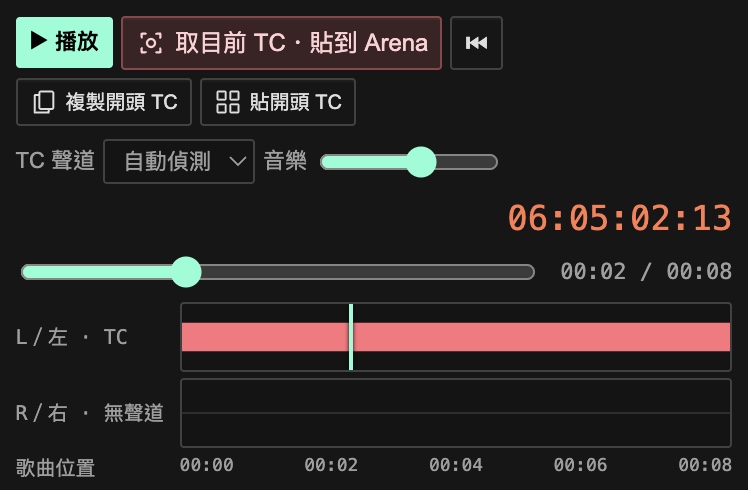
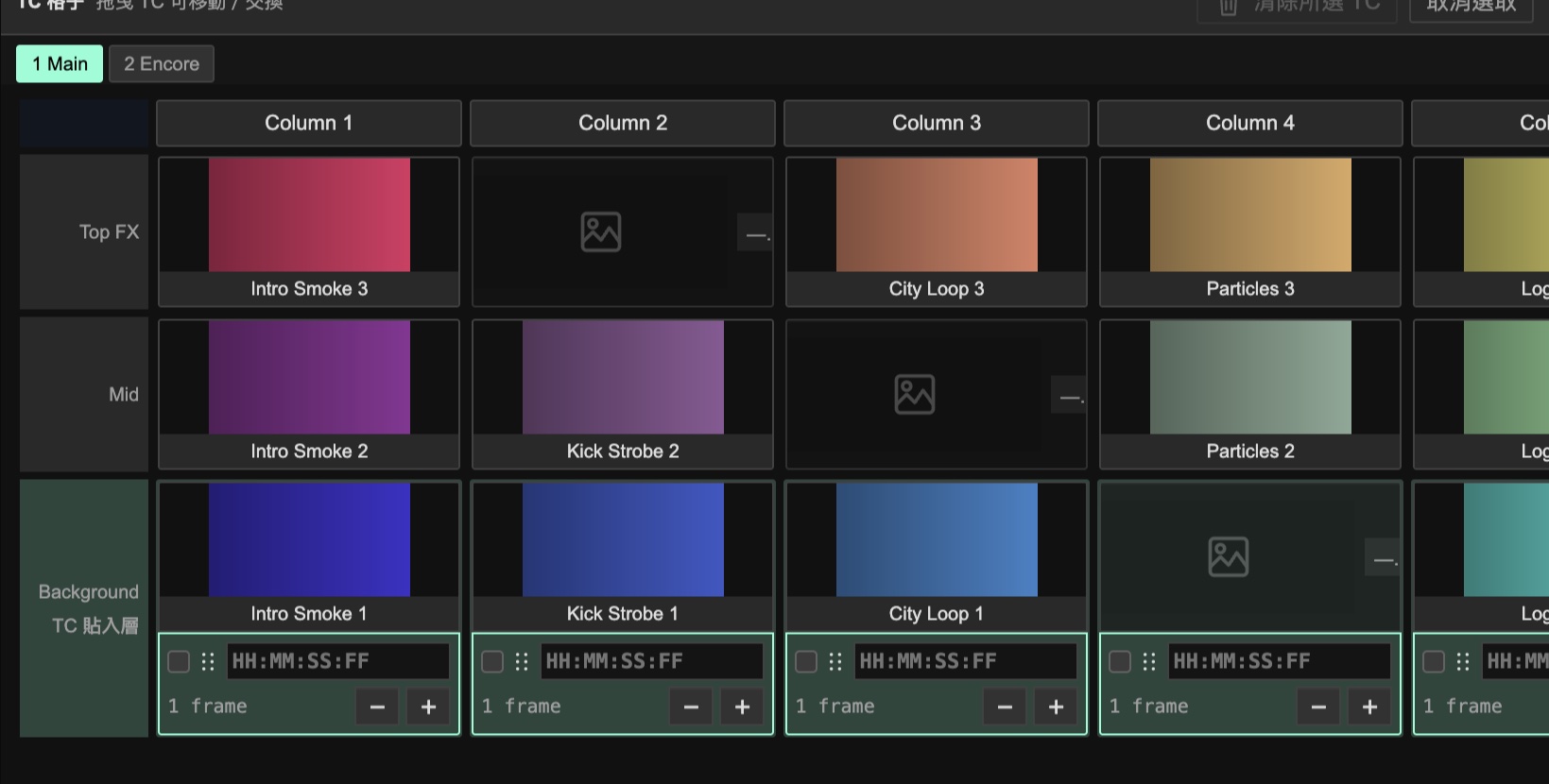
Current interface, shown with sample data. Nudge by one frame, type a time, or drag to move and swap.目前的軟體介面與示範資料。可以 ±1 frame 微調、直接輸入,或拖曳移動、交換。
Then run the show接著上場
Plug in LTC and arm it. Show mode shrinks to a small panel that stays on top of Arena.接上 LTC、開啟自動觸發。演出模式縮成小面板,置頂在 Arena 上方。
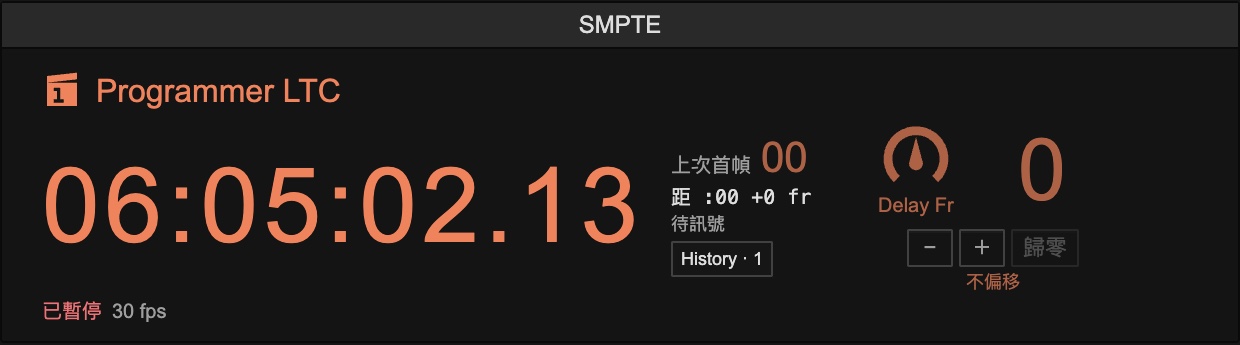
- No signal, no firing沒訊號就不觸發After 250 ms without timecode it stops. It never runs on its own clock.時間碼中斷超過 250 ms 就停止,不會自己往下走。
- Skipped cues stay skipped跳歌不連發Jumping to another song never replays everything in between.跳到別首歌時,不會把中間的 Cue 全部連發。
- Emergency stop緊急停止One click away, on every plan.隨時按得到,所有方案都有。
- Your system is left alone不動你的系統It never changes network settings or force-quits Arena.不改網路設定,也不會強制關閉 Arena。
Pricing方案與價格
Every computer starts with a 72-hour full trial, then continues on the free plan. Prices are in US dollars.每台電腦首次使用有 72 小時完整試用,之後自動轉為免費版。價格以美元計。
Free免費版
- Automatic firing for the 8 earliest cues自動觸發時間最早的 8 個 Cue
- All editing, Programmer and cue capture編排、Programmer、取點全部可用
7-Day Pass週票
Launch price. Regular US$29.99首發價,原價 US$29.99
- Unlimited cues for 7 days from payment付款起 7 天,Cue 數不限
- One-time payment, does not renew單次付款,不會自動續費
- 2 computers at a time同時 2 台電腦
Monthly月費
Launch price. Regular US$59.99首發價,原價 US$59.99
- Unlimited cuesCue 數不限
- Renews monthly, cancel anytime每月自動續訂,可隨時取消
- 2 computers at a time同時 2 台電腦
Buyout買斷
Launch price. Regular US$449首發價,原價 US$449
- Unlimited cues, no expiryCue 數不限,永久可用
- Includes 12 months of updates含 12 個月更新
- 2 computers at a time同時 2 台電腦
Your license key appears right after checkout and in your receipt. Orders are processed by Creem, our merchant of record, which handles payment and applicable taxes. Your card statement will show CREEM.IO. See the Terms for refunds.付款完成後會立刻顯示序號,收據中也有。訂單由 Creem 以 Merchant of Record 身分處理付款與相關稅務,信用卡帳單會顯示 CREEM.IO。退款規定請見服務條款。
Download下載
The same download covers the trial, the free plan and every paid plan.試用、免費版和所有付費方案都用同一個安裝檔。
macOS
macOS 12 or later, Apple Silicon and Intel.macOS 12 以上,支援 Apple Silicon 與 Intel。
Download for Mac下載 Mac 版- Needs必要條件
- Resolume Arena 7.8 or later on the same computer, purchased separately.同一台電腦上的 Resolume Arena 7.8 以上版本,需另外購買。
- Audio files音檔格式
- WAV only in Programmer. MP3 is not supported.Programmer 只支援 WAV,不支援 MP3。
- Interface language介面語言
- Traditional Chinese. An English interface is not available yet.繁體中文。目前還沒有英文介面。
- Internet網路
- Needed to start the trial and activate a license. A paid license keeps working offline for up to 72 hours between checks.開始試用與啟用序號時需要連線。付費授權通過檢查後,最長可離線使用 72 小時。
Questions常見問題
What happens if my pass expires during a show?演出途中授權到期會怎樣?
If automatic firing was turned on while your license was valid, all cues keep firing until you turn it off, for up to 12 hours. After that the app returns to the free plan. Your compositions are not touched.如果開啟自動觸發時授權有效,到期後全部 Cue 仍會繼續觸發,直到你關閉為止,最長 12 小時。之後回到免費版,你的 Composition 不受影響。
Can I move my license to another computer?可以換電腦嗎?
Yes. A license can be active on 2 computers at a time. Sign out on one to free its seat. A computer that has not connected for 72 hours frees its seat automatically.可以。一組序號可同時在 2 台電腦使用,登出就能釋出名額,72 小時沒有連線的電腦也會自動釋出。
How do I cancel the monthly plan?月費要怎麼取消?
Use the customer portal link in your Creem receipt, or email us. Your license stays active until the end of the period you paid for.從 Creem 收據裡的客戶入口取消,或寫信給我們。序號會用到已付費期間結束為止。